Account Deletion
We are really sad to see you go. Our goal has always been to serve you better. If you are experiencing any issues, we are here to help and would love to hear from you so that we can resolver your issues, we are here to help and would love to hear from you so that we can resolve your issues.
Please take note of these permanent changes when deleting your account:
- The email address associated with this account can’t be used to register for another account.
- Some data related to transactions may be stored by us as required by law.
- Any outstanding balances or credits will be settled according to our financial policies.
- Your personal data will be deleted from our servers in accordance with privacy laws and our data retention policy.
How to close your account with Tunez Hub App:
Please take a note, that you need to clear all pending bookings and sessions before you can delete your account. These are step by step how to delete your account:
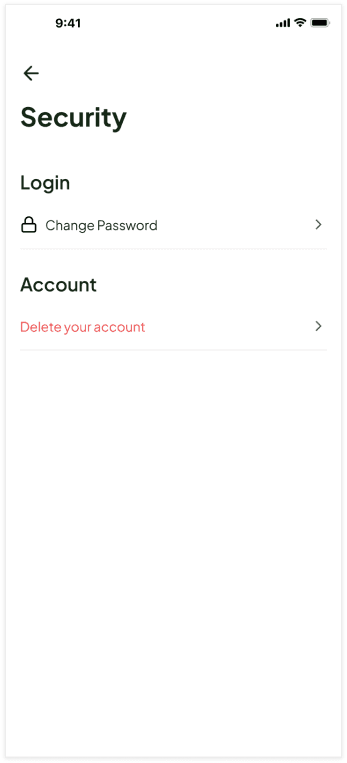
Go to Profile Menu and choose Security.
On Security menu, choose Delete your account.
Please Review the information about Account Deletion
Choose Account Deletion Reason, then click Delete Account
Choose Delete Account, if you really want to Delete your Tunez Hub Account.
Input Verification Code that we sent to your email address.
Your Account Deletion is complete
How to close your account with Without Tunez Hub App:
If you dont have access to Tunez Hub App, you can request Account Deletion via Support Email